
reaction video ads
How to Make Reaction Style Video Ads with AI (2026)
August 25, 2026 · 6 min read
On this page
Why Reaction-Style Video Ads Perform So Well
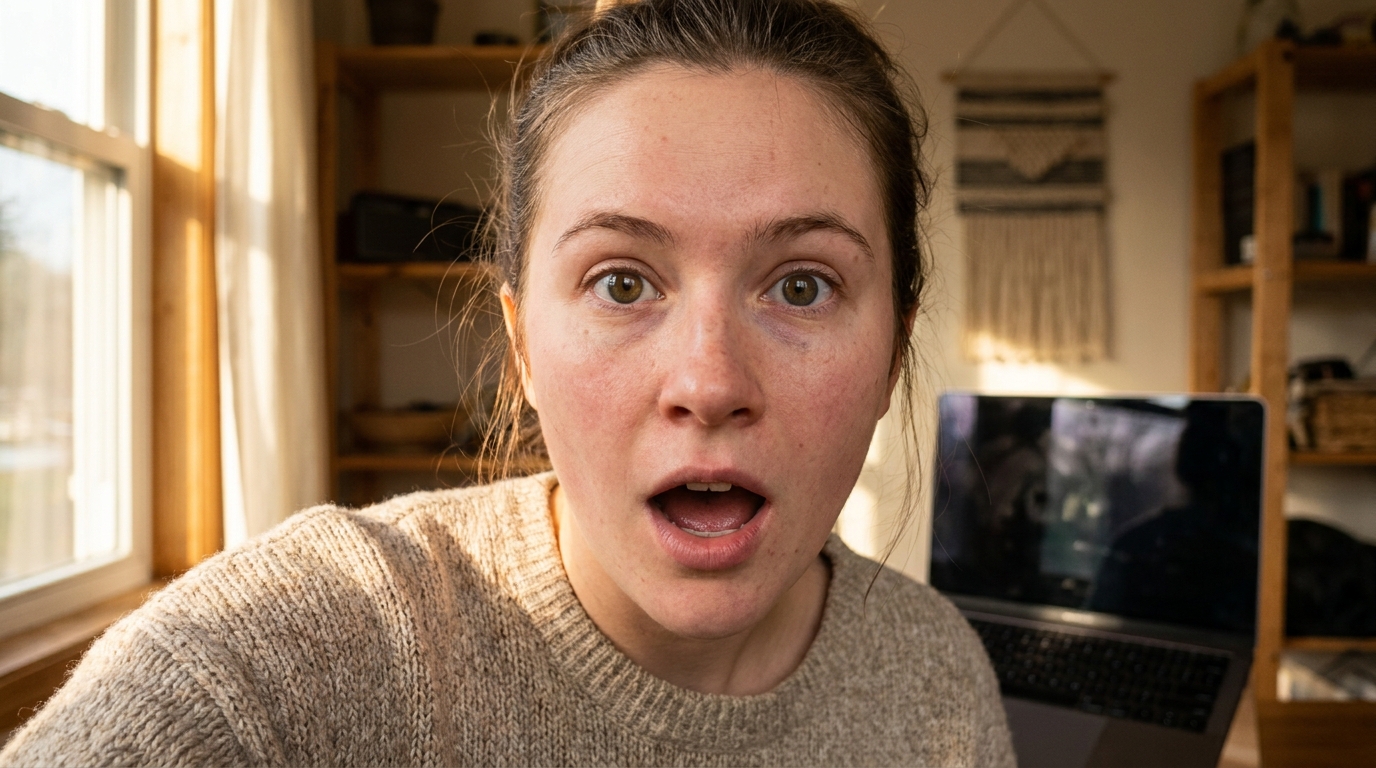
Reaction videos have dominated organic social feeds for years — someone watches something surprising, impressive, or funny, and the camera captures their real-time response. When that structure is applied to advertising, it works because it borrows the emotional logic of social proof. Viewers aren't just hearing that a product is good; they're watching someone experience it for the first time and responding honestly.
The format travels across platforms reliably. On TikTok, reaction content is native to how people browse. On Instagram Reels, split-screen and point-and-react formats consistently earn above-average watch time. On YouTube Shorts, a face mid-expression stops the scroll more effectively than a branded product shot.
Reaction ads are also flexible by objective. They can build brand awareness — showing a range of people genuinely delighted by your product — or drive direct response by framing the reaction around a specific result, price reveal, or before/after. Before you script your first batch, it's worth understanding when each approach applies. This breakdown on UGC creative strategy for brand awareness vs. direct response maps out the decision clearly.
What Defines the Reaction-Style Ad Format
Before producing anything, define exactly what you're making. Reaction-style ads have three structural elements that make them recognizable and effective:
- A human anchor. The viewer needs a person — ideally someone who reads as relatable to your target audience — whose face and body language carry the emotional narrative of the ad.
- A stimulus. The thing being reacted to: unboxing footage, a product demo, a bold claim, a before/after reveal, or even a piece of content the persona is shown watching on screen.
- An authentic-feeling response. The reaction needs to feel real — surprise, delight, skepticism that converts to belief, or genuine relief. Scripted but not stiff.
The split-screen format is the most common execution: the left side shows the stimulus (product in use, a result, a claim), the right side shows the human reacting to it in real time. But single-frame reaction ads — where the presenter addresses camera directly, with reactions expressed through voice and body language — are equally effective and easier to produce at scale.
How to Make Reaction Style Video Ads with AI: Step by Step
1. Define the stimulus first
Every reaction needs something to react to, and the quality of your stimulus determines whether the reaction reads as earned or hollow. Before writing a word of script, decide what your AI presenter will be responding to:
- Your product being used, opened, or applied for the first time
- A bold claim or measurable result — something the audience might not believe until they see it
- A price, transformation, or feature reveal structured as a genuine surprise
- A common misconception in your category that your product disproves
The stimulus determines the tone of the entire ad. A price reveal calls for a different emotional register than an unboxing, and both are different from a skeptic-to-believer arc. Nail this before scripting.
2. Write a tight script for the reaction persona
Thirty to forty-five seconds is the effective range for paid placements. Structure the script in four beats:
- Hook (0–3s): An expression or verbal cue that signals something interesting is coming. "Wait — this actually worked?" or a face caught mid-reaction before the viewer knows why.
- Setup (3–10s): Brief context — what is the person reacting to, and why does it matter to someone like them.
- Reaction (10–28s): The emotional core. Show the response to the stimulus in detail. Authentic delivery beats polished delivery here — let the language sound like someone thinking out loud.
- Payoff (28–45s): The CTA, offer, or brand moment. Keep it brief; the emotional work is already done.
Avoid overscripting the reaction section. If the presenter sounds like they're reading from a press release, the format collapses. The words should feel spontaneous, even when they aren't.
3. Generate your AI presenter
This is where an AI creative engine changes the production math entirely. Instead of sourcing, briefing, and coordinating with real creators, you select a photorealistic AI presenter from a library that spans different ages, ethnicities, styles, and delivery registers. Input your script, select a tone (casual, enthusiastic, direct), and the system generates a video of that presenter delivering the reaction.
A core advantage of AI-generated reaction ads is the ability to run multiple presenter variants — same script, different faces — to identify which persona resonates with specific audience segments. This is exactly the kind of iteration that high-velocity creative testing requires, and AI production makes it economically viable to do at real scale without blowing your creative budget on individual shoots.
4. Layer in your stimulus footage
For split-screen formats, you'll need footage of your product, packaging, results, or the content being reacted to. UGCClip handles the composition — you drop in your product video or image assets and align them with the reaction timing in the editor. For single-frame reaction ads, incorporating B-roll and cutaway shots — product close-ups, in-use footage, result images — adds visual variety and breaks up the talking-head format without requiring a separate shoot.
5. Format for platform and add captions
Reaction videos live and die on audio, but a substantial portion of social feeds are watched on mute. Auto-captions are non-negotiable. Beyond captions:
- Choose a background track that supports the voiceover rather than competing with it
- Crop to 9:16 for TikTok and Reels; 16:9 or 1:1 for YouTube placements
- Front-load the face and expression — above the fold on mobile, the human anchor should be immediately visible
Where Reaction Ads Fit in the Broader UGC Mix
Reaction-style ads occupy a specific lane in your creative stack. They're more emotionally immediate than tutorial formats and more versatile than something like a street interview-style ad, which depends on a particular visual grammar to land correctly. Reaction ads scale cleanly across top-of-funnel and retargeting because the emotional hook doesn't require prior brand awareness to work — the face and the response carry the viewer in.
Where they tend to underperform: technically complex products where audiences need detailed explanation before they can feel the emotion. In those cases, a more structured demo or how-to format usually converts better at the bottom of funnel.
The Mistakes That Kill Reaction Ads
- A weak stimulus. If what the person is reacting to isn't genuinely interesting, the reaction reads as manufactured. The stimulus deserves as much attention as the script.
- Starting too slow. Three seconds is all you get before the scroll. Open on the face, the expression, or the verbal cue — not the logo or a brand intro.
- Testing a single version. Run at least two presenter variants and two hook variations before drawing conclusions. One version tells you almost nothing useful about the format's potential for your brand.
- Letting the payoff drag. Once the emotional work is done, end the ad. A reaction video that lingers on the CTA for fifteen seconds loses everything it earned in the first thirty.
If you want to keep your reaction ad library fresh and high-performing over time, the same discipline applies here as to any UGC format — iteration, rotation, and reading your metrics beyond surface-level return figures.
Start Making Reaction Ads Today
UGCClip is a multi-model AI creative engine built for brands and agencies that need to produce reaction-style video ads at scale — without production timelines, creator negotiations, or per-asset costs that make iteration expensive. Choose your format, script the reaction, select an AI presenter, and export platform-ready video in minutes. If you're ready to add reaction ads to your creative mix, start at ugcclip.app.